
Everything your team needs to manage contracts end-to-end.
From upload to renewal, Archway handles the entire contract lifecycle — with AI doing the heavy lifting.
One searchable home for every contract.
Stop hunting through email attachments and shared drives. Archway gives every contract a permanent, organized home — searchable by keyword, party, type, or date.
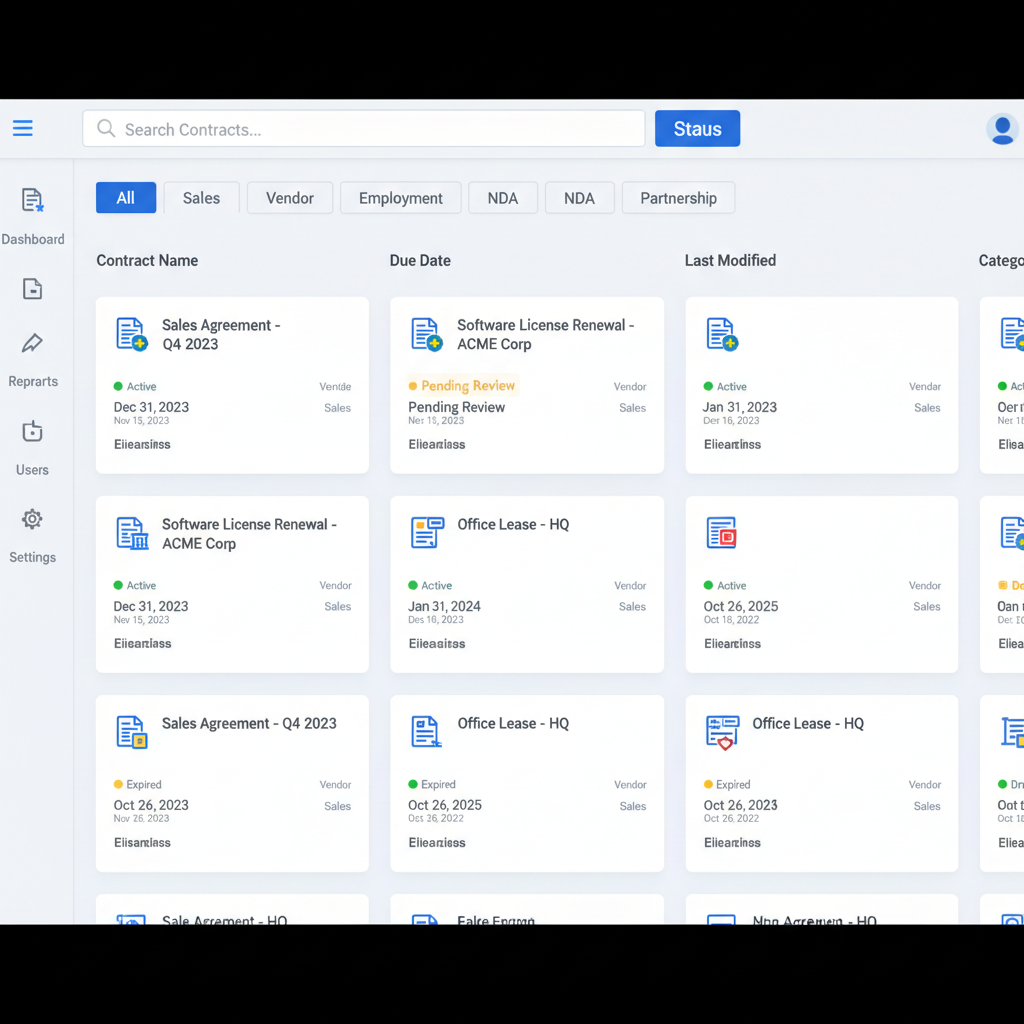
Full-text search
Search across all contract text in under 200ms
Smart folders
Auto-categorize by type, party, status, or custom tags
Bulk import
Upload hundreds of contracts at once via ZIP or Drive sync
Version history
Every edit tracked — see exactly what changed and when
Your AI legal analyst, available 24/7.
Archway's AI reads every contract so you don't have to. Get a structured summary of every key term, obligation, and risk clause — extracted in seconds, not hours.

Key term extraction
Parties, dates, payment terms, governing law — all structured
Risk clause detection
Flags unusual indemnification, IP assignment, and liability clauses
AI summaries
Plain-English summary of every contract in 3 bullet points
Scanned PDF support
OCR reads even poor-quality scanned documents accurately
Send for signature without leaving Archway.
Built-in e-signature via DocuSign integration, plus a configurable approval workflow — so contracts get reviewed and signed in the right order, every time.
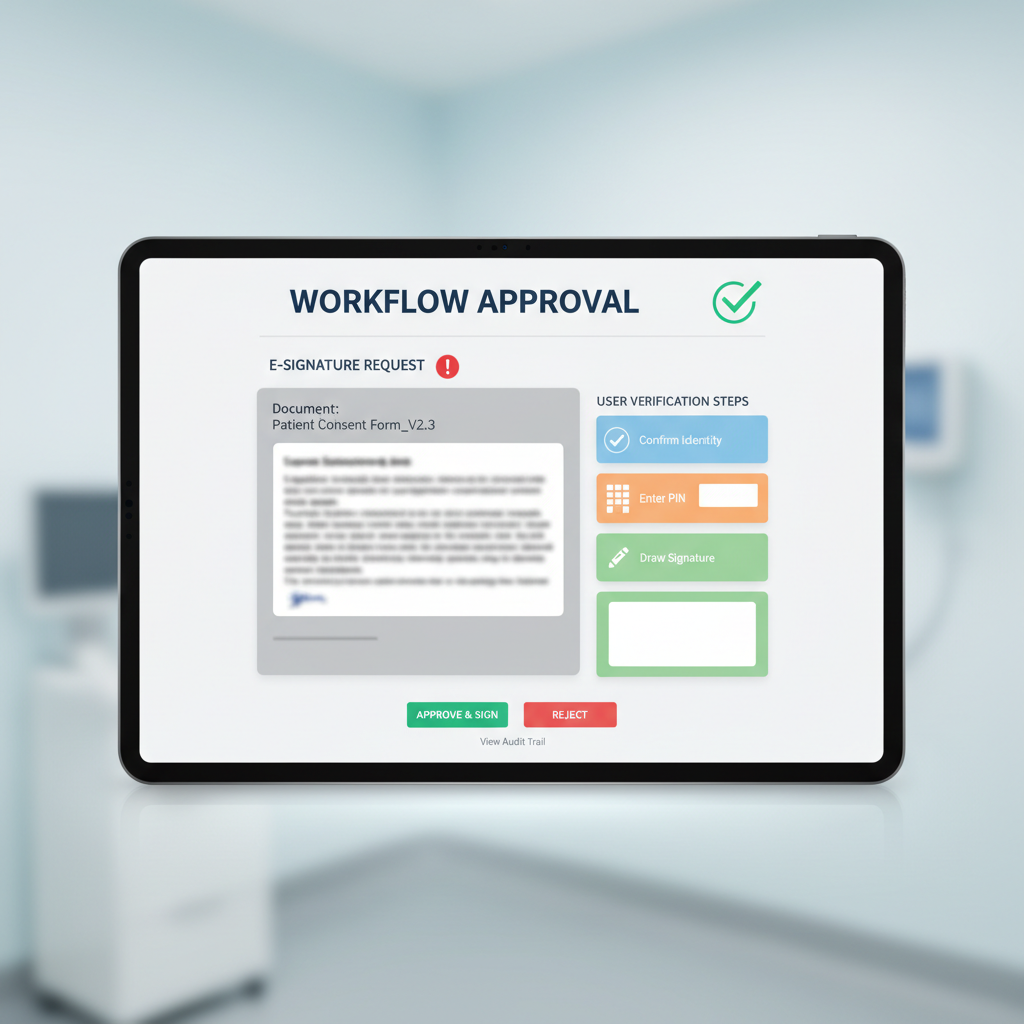
DocuSign integration
Send for e-signature directly from any contract record
Approval chains
Configure multi-step review workflows with conditional routing
Parallel approvals
Multiple approvers can review simultaneously to reduce cycle time
Automated reminders
Nudge approvers automatically after 24, 48, and 72 hours
Never miss a renewal or expiry again.
Archway's renewal calendar aggregates every expiry date across your entire contract portfolio. Set tiered alerts so your team always has time to act.
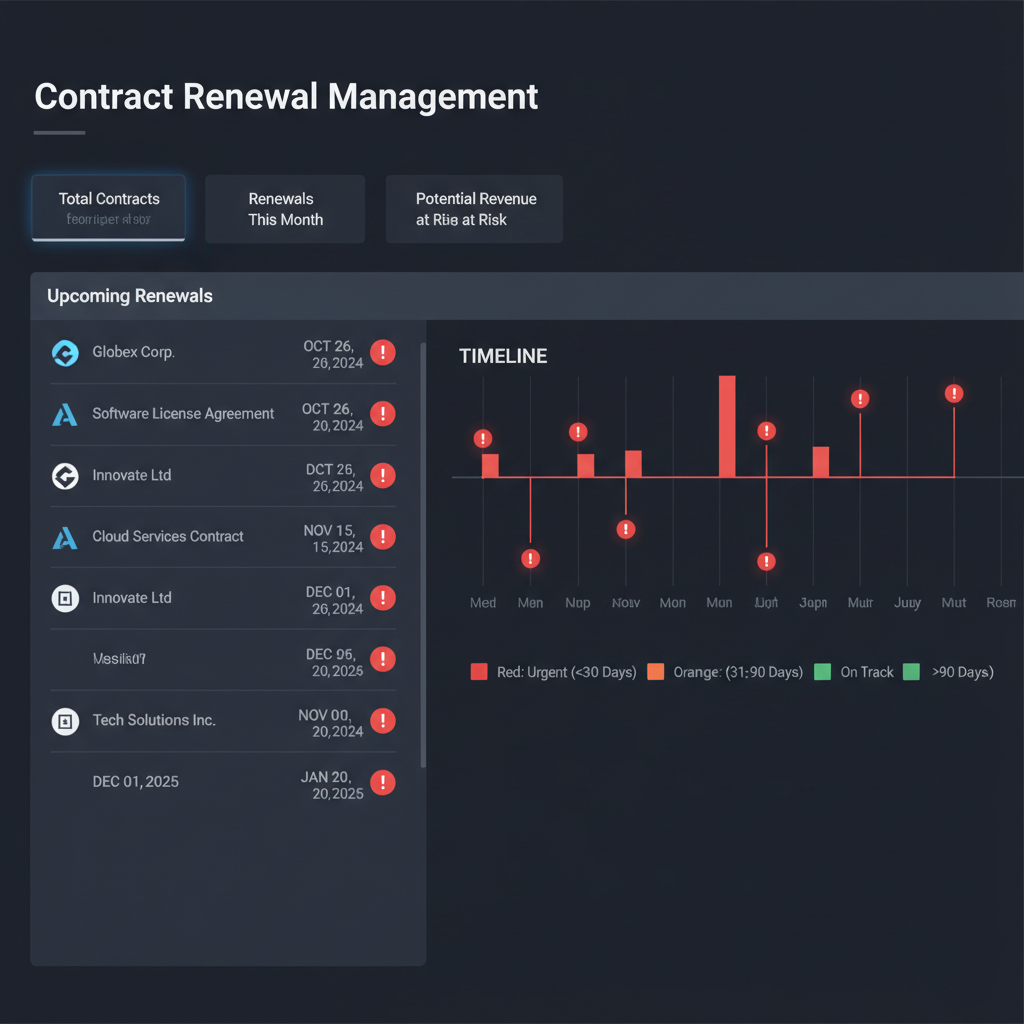
Renewal calendar
Unified view of every upcoming expiry across all contracts
Tiered alerts
Configurable reminders at 90, 60, 30, and 7 days before expiry
One-click renewal
Extend, terminate, or renegotiate directly from the alert
Renewal dashboard
Portfolio health score with renewal rate and at-risk contracts
Archway fits into the tools you already use.
Connect Archway to your CRM, communication tools, and document systems. Contracts sync automatically — no manual exports or copy-paste.

Salesforce & HubSpot
Contracts linked to CRM deals and contacts automatically
Slack notifications
Real-time alerts for renewals, approvals, and signatures
Google Drive & Notion
Sync contracts from Drive folders or Notion databases
REST API
Full API access for custom integrations on Enterprise plans
Answer any contract question in seconds.
Build custom reports on contract value, cycle time, risk exposure, and renewal rates. Export to CSV or share live dashboards with stakeholders.
Custom dashboards
Drag-and-drop report builder for any contract metric
Contract value tracking
Total committed spend and revenue across all agreements
Cycle time analytics
Average time from draft to signature by contract type
CSV & PDF export
Export any report or dashboard for board and audit presentations